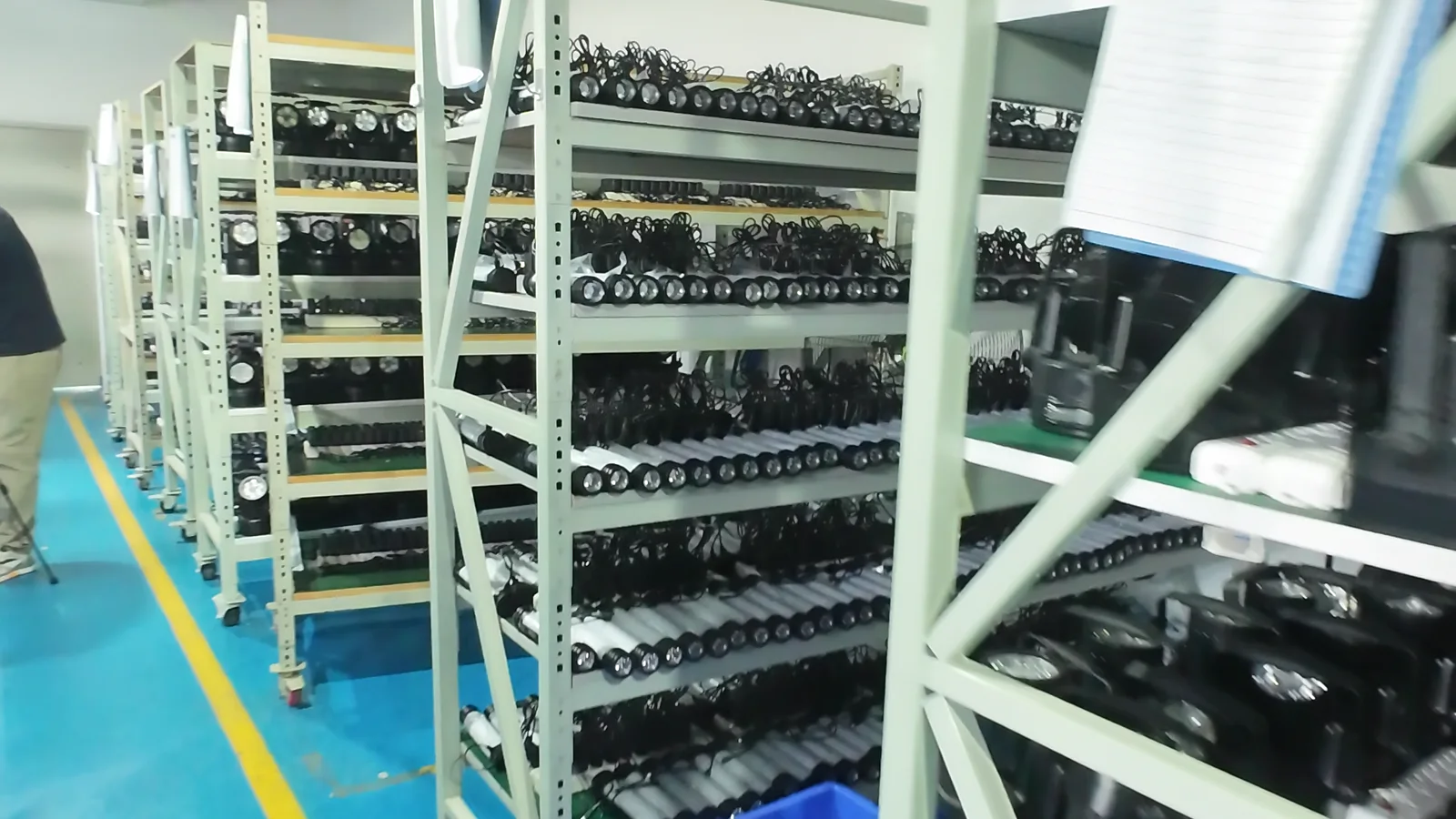
Frame from supplied ageing-test video showing portable lights on a rack with paper records; process context only, not duration or pass evidence.
Production burn-in is a production-control check, not a substitute for a runtime report or a one-time function inspection. For a portable-light lot, the useful record connects the exact unit and rack position to the agreed operating mode, observation intervals, anomaly response and release decision.
The supplied image shows rows of portable lights on a wheeled rack with paper records. It does not prove the duration, mode, sample size, result, electrical settings, certification or ownership of the facility. Use it as process context only.
Start with the question the burn-in must answer
Before a supplier powers a rack, state what the check is intended to reveal. A production burn-in may look for early failures, intermittent controls, charging instability, thermal behavior under an agreed mode or a mismatch between assembled units. It does not automatically establish the marketed runtime, lumen output, ingress protection or long-term field life.
Write the purpose in the purchase or quality plan. If the purpose changes, the lot record should show the new question and approval rather than silently reusing an old form.
Freeze the lot and configuration
Record the buyer SKU, supplier model, sample or production revision, battery configuration, driver or firmware revision when relevant, accessory pack and packaging version. Give each unit a lot reference and unit ID. A rack position or channel number makes an intermittent failure easier to isolate.
Do not describe a rack as a representative sample unless the sampling plan says how units were selected. Record the planned quantity, the actual quantity connected, excluded units and the reason for each exclusion.
| Field | Record before power-on | Why it matters |
|---|---|---|
| Lot identity | Purchase order, lot, SKU and production date | Links the result to a release decision |
| Unit traceability | Unit ID, rack position and channel | Allows an anomaly to be isolated and retested |
| Configuration | Revision, battery, driver or firmware and accessories | Prevents evidence from one build being attached to another |
| Starting state | Charge rule, transport isolator, switch state and mode | Makes the condition repeatable |
| Planned check | Mode, observation interval, stop rule and owner | Defines what counts as a complete record |
Define the operating condition
State the mode or sequence each unit will run. If the product has multiple modes, do not use one burn-in result as proof for all of them. Note whether a step-down, sensor, timer, lockout or automatic shutoff is expected. Record the power source and any approved fixture, cable or charger.
The image can show that many lights are arranged for a process check. It cannot establish the current, voltage, temperature, duration or pass result. Those values belong in the approved test instruction and the signed record.
Map observations to intervals
Use a simple time or event log. At each agreed interval, record the unit ID and observable state: on or off, mode, indicator, abnormal noise, flicker, heat concern, cable or connector condition and any visible damage. Add the operator, timestamp and evidence-file name. A photo or video helps locate what happened, but it does not replace the written condition.
Keep a separate line for every anomaly. Do not overwrite a failed observation after a reset or rework. The history should show the first event, the containment action, the cause investigation if known, the correction and the recheck condition.
Use an escalation rule instead of a vague pass
Agree what happens when one unit stops, changes mode, becomes unusually hot, loses an indicator or needs a reset. A practical rule can require the operator to stop the affected channel, preserve the unit and rack evidence, notify the quality owner and decide whether the lot is held, screened or sampled again. The exact thresholds belong to the product and buyer quality plan.
| Observation | Immediate record | Possible next decision |
|---|---|---|
| Unit stops or changes mode unexpectedly | Unit ID, interval, mode and power condition | Hold unit; check configuration and isolate the lot if required |
| Flicker, intermittent switch or indicator mismatch | Video or photo plus action taken | Repeat the same condition and compare with the approved sequence |
| Heat, smell, damaged cable or exposed part | Safety note and containment location | Stop the check for that unit and escalate before re-powering |
| Rack channel or fixture issue | Channel ID, fixture ID and affected units | Correct the fixture, mark invalid observations and rerun affected units |
| Missing identity or incomplete log | Label photo and missing field | Treat as traceability failure until corrected |
Separate burn-in from other evidence
Burn-in can support production consistency, but it does not replace the methods for other claims. Use the portable-light runtime testing checklist when the question is battery state, load, cutoff and runtime logging. Use the portable-light function inspection checklist for a full user control sequence. Use the temperature and humidity testing guide for defined environmental conditions.
Keeping records separate prevents a rack photo or a passing channel from becoming an unsupported claim about runtime, brightness, water resistance or service life.
Connect the result to release
At closeout, reconcile the planned and actual unit count, unresolved anomalies, reworked units, retest scope and final disposition. The release record should identify who reviewed the evidence and which purchase order or lot it covers. If a failed unit was replaced, keep the original unit ID and reason; do not make the replacement appear to be the original sample.
Repeat or expand the check after a change that can affect early-failure behavior, such as a battery or driver change, firmware update, LED or optic change, switch or connector change, assembly-process change, supplier change or revised packaging that alters handling. Record why a partial or full repeat was selected.
Burn-in request checklist
- State the production question and the claim it does not prove.
- Identify the purchase order, lot, SKU and production revision.
- Assign every connected unit a unit ID, rack position and channel.
- Record battery, driver, firmware, accessory and starting-state conditions.
- Define the mode or sequence, power source, fixture and observation intervals.
- Name the operator, quality owner, stop rule and evidence-file convention.
- Log every interval and preserve first-failure records without overwriting them.
- Define containment, retest, screening and lot-hold decisions for anomalies.
- Reconcile planned quantity, actual quantity, exclusions and unresolved points.
- Sign the release decision and list changes that trigger a repeat check.
Frequently asked questions
Does a rack of illuminated lights prove long service life?
No. It shows process context only. Service-life or runtime claims need their own defined method, conditions, records and acceptance limits.
Should every mode be included in production burn-in?
Include the modes or sequences that the approved quality plan identifies. If modes have different loads or controls, record them separately rather than treating one as a proxy for all.
Can one failed unit be removed and the lot released?
Only under an agreed containment and sampling rule. Keep the original failure, identify the replacement or screened units and document who approved the lot disposition.
When should burn-in be repeated?
Repeat after a change that can affect power, control, heat, assembly or traceability, or when the quality plan calls for a new lot or supplier check.
What should a buyer request from a supplier?
Request the lot identity, unit and rack map, operating condition, interval log, anomaly records, recheck evidence and signed disposition. A video without those fields is not a complete production record.
Source note: the hero uses a frame from the user-supplied video `老化测试1.MP4` at 00:00:06.000. It shows portable lights arranged on a rack with paper records as process context only and does not claim a measured duration, result, certification, customer order or NIGHTFIELD-owned facility.