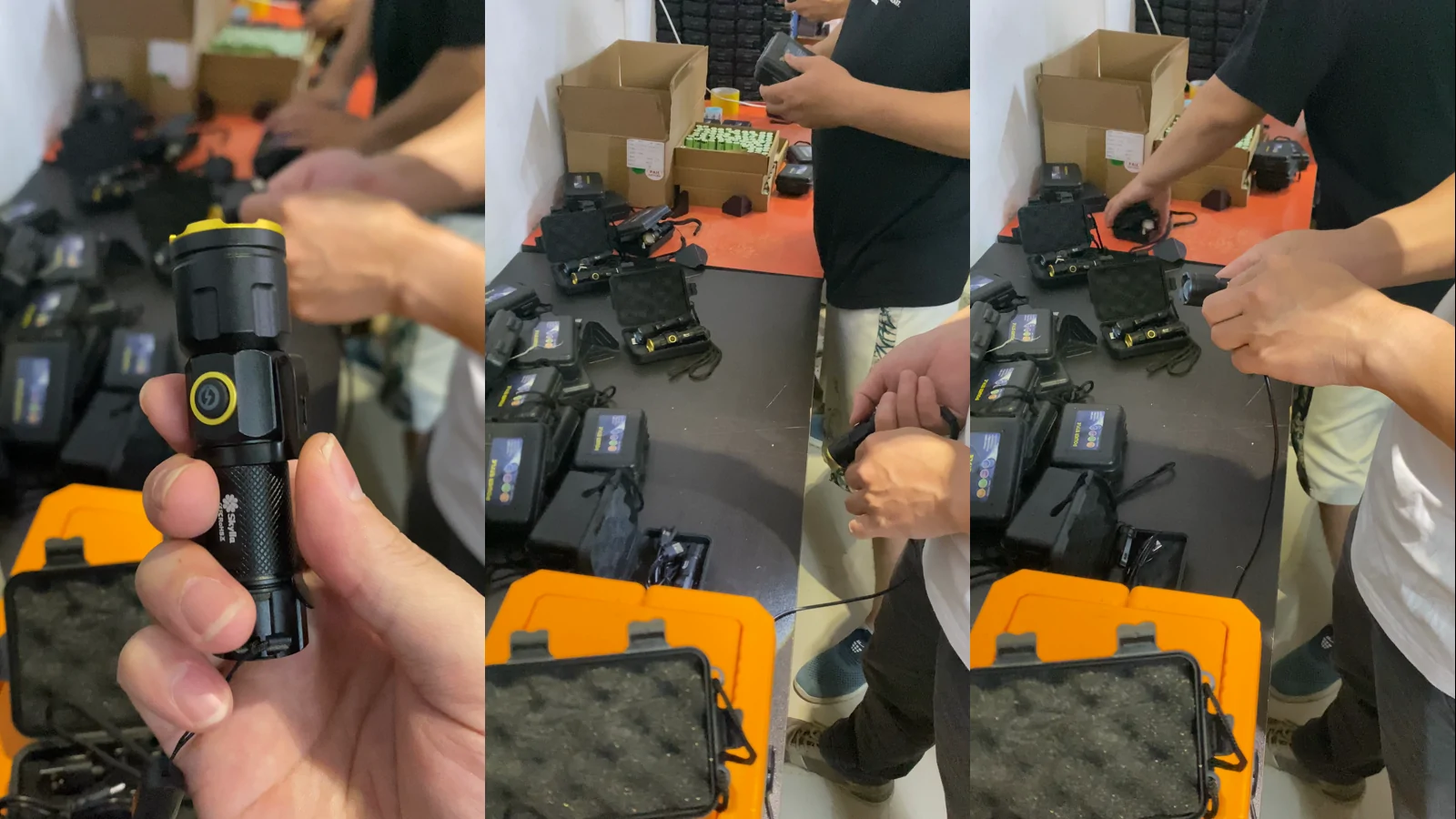
Three frames from supplied footage at 1, 4 and 7 seconds. They show portable lights, accessories and hands-on checking at a worktable; they do not establish the written inspection plan, sample identity, sample size, result or facility ownership.
A portable light passing a simple on/off check does not show that every control, mode, indicator and charging state matches the approved sample. A useful function inspection follows a written sequence, records the result by unit and separates a product defect from a vague operator impression.
This guide is for United States private-label flashlight and portable-light brands preparing a first production run or pre-shipment inspection. It does not prescribe a universal sample size or acceptance limit. Those decisions belong in the buyer's product specification and inspection plan.
Browse NIGHTFIELD buyer insights for related sample-validation and purchasing tools.
Freeze the approved behavior before inspection
Before production begins, write down exactly what the approved sample does. Name every button, switch, port and indicator. Record the result of a short press, long press and repeated press where those actions are part of the design. State the order of light modes, whether the product remembers the previous mode, and what happens after power is disconnected.
Use a version-controlled reference rather than a video clip or chat message alone. The reference should identify the model, sample revision, firmware or driver revision when relevant, battery configuration, accessory set and packaging version. If a change is accepted, update the reference and record who approved it.
Turn features into observable checks
An inspection step should tell the operator what to do and what result to observe. "Check function" is too broad. "From off, short-press the side switch once; the main white light enters the approved first mode" can be repeated and recorded.
| Function area | Action to define | Observable result to record |
|---|---|---|
| Main control | Short press, long press and release | On/off state, first mode and response time |
| Mode sequence | Repeat the approved press sequence | Mode order, skipped modes and unexpected loops |
| Memory or reset | Turn off, wait, then restart | Returns to the agreed mode or reset state |
| Secondary light | Activate each side, rear or warning emitter | Correct emitter, color and pattern |
| Lockout | Apply and release the approved lock sequence | Prevents unintended activation and restores normal control |
| Indicator | Connect power and observe each documented state | Color, icon or segment matches the state being shown |
| Charging port | Insert the specified cable and connector orientation | Stable connection, no intermittent indication or abnormal movement |
| Mechanical feature | Rotate, fold, clip, magnetically mount or stand as specified | Holds each intended position and does not obstruct controls |
Only include functions the selected product actually has. A checklist copied from a different model can create false failures while missing the behavior that matters on the approved unit.
Separate a function check from a performance test
A function inspection can confirm that a mode activates, but it does not establish the lumen output, runtime, water resistance, impact resistance or battery life of that mode. Those questions require their own methods and evidence.
For claimed output, use the portable-light lumen-testing checklist. For charging behavior, battery preparation and ageing questions, use the rechargeable-light buyer brief. Keep the records linked to the same model and revision so a passing document from one configuration is not attached to another.
Define the power state and test setup
Control behavior can look inconsistent when units begin in different power states. The inspection plan should specify whether a removable battery is installed, whether an internal battery has been charged, which cable and power source are used, and how long the product rests before a restart or memory check.
Record any setup needed to see the result safely and consistently: a shaded viewing area for indicator LEDs, a fixed surface for magnetic or standing products, and the intended accessory or cable. The goal is not to build a laboratory around a basic function check. It is to remove avoidable ambiguity.
The supplied footage used for this article shows people handling portable lights and connected accessories at a worktable. It does not reveal the written inspection plan, sample identity, sample size, acceptance criteria or results. The image is process context, not proof that a production lot passed.
Inspect the whole user sequence
Many returns come from a sequence problem rather than a product that never turns on. A customer may need to find the power switch in the dark, move through several modes, lock the light for transport, read the charge indicator and recharge it with the supplied accessory.
Write one end-to-end user sequence for the intended market. For example: unpack the product, remove any transport isolator, install or activate the battery, turn on the main light, change modes, use the mounting feature, lock the control, unlock it, connect charging power and confirm the stated indicator behavior. This sequence can reveal mismatched instructions, accessories or packaging even when each component works by itself.
The OEM lighting sample brief can carry this sequence into sample approval before production begins.
Build a defect code list before the lot is checked
Short defect codes make results easier to compare and investigate. Each code should describe one observable mismatch, not guess at the root cause.
| Code | Observable mismatch | Evidence to keep |
|---|---|---|
| CTL-01 | Main switch does not respond to the approved action | Unit ID and short video |
| MOD-01 | Mode order differs from the approved sequence | Starting state and press sequence |
| MEM-01 | Restart state differs from the approved memory or reset rule | Off time and restart result |
| IND-01 | Indicator color, icon or timing is incorrect | Power state and clear photo or video |
| CHG-01 | Charging connection is intermittent or the expected state is not shown | Cable, power source and connector position |
| ACC-01 | Supplied cable, battery insert or accessory does not match the approved pack | Unit and packaging IDs |
| MEC-01 | Fold, clip, stand, magnet or cover does not hold or move as specified | Position and visible condition |
| DOC-01 | Manual or packaging gives a different control sequence | Document revision and conflicting text |
The code is the start of a disposition, not the end. The buyer and supplier still need to decide whether the unit is rechecked, reworked, rejected or investigated, and whether the issue affects other units.
Connect samples to the production lot
Every inspected unit should be traceable to the lot being evaluated. Record the purchase order or lot reference, model, color or variant, carton or batch identifier where available, inspection date and unit number. Photograph labels and packaging when they are part of the identity.
Define how units are selected across the lot rather than taking only the easiest carton from the top. The sampling plan and acceptance limits must be agreed for the specific order. Do not copy a sample size from an unrelated product or treat one checked unit as proof for the entire shipment.
NIGHTFIELD's manufacturing and quality coordination can help connect the approved sample, written function sequence, supplier communication and outgoing inspection across manufacturing partners.
Record failures so they can be reproduced
For every mismatch, preserve the unit ID, starting power state, exact action, expected result, actual result and evidence file. If the problem is intermittent, record how many repetitions produced it. Avoid notes such as "sometimes bad" or "switch issue"; they are difficult to reproduce and easy to misinterpret.
Also record the immediate disposition. If a unit is reworked, do not replace the original result with a clean pass. Keep the first result, rework action and recheck result as separate entries.
Decide what changes require a repeat check
A function check should be repeated when a change can affect the observed behavior. Depending on the product, this may include a driver or firmware change, switch supplier change, battery configuration, charging board, indicator component, cable or connector, mechanical hinge, magnet, accessory pack, manual or packaging instruction.
Not every cosmetic change requires the entire plan to be repeated, but the decision should be written. The buyer should be able to see why a document review, partial recheck or full recheck was chosen.
Send this inspection request before production release
- Identify the model, approved sample and relevant hardware or firmware revision.
- List every control, port, indicator, emitter and mechanical feature to be checked.
- Write the exact action and expected result for each function.
- Define the starting battery, charge and lockout state.
- State the approved mode order, memory rule and indicator behavior.
- Identify the cable, charger or accessory used during the check.
- Define the lot reference, unit identification and sampling plan.
- Provide defect codes and the evidence required for a mismatch.
- State the disposition and recheck process for failed or reworked units.
- List the product or document changes that trigger another function review.
Frequently asked questions
Is turning a flashlight on enough for a function inspection?
No. A useful inspection follows the approved control sequence and checks the relevant modes, memory or reset behavior, indicators, charging connection, accessories and mechanical features.
Should every portable light use the same inspection checklist?
No. Use a shared record format, but include only the controls, modes, ports, indicators and mechanical features present on the approved model.
Does a function inspection prove lumen output or runtime?
No. It can confirm that a mode activates and behaves as specified, but output and runtime claims need separate, defined measurements.
What should be recorded when a unit fails?
Record the unit ID, starting state, exact action, expected result, actual result, evidence file, defect code and disposition. Keep any rework and recheck as separate records.
When should a function inspection be repeated?
Repeat the relevant checks after a change that can affect controls, power, charging, indicators, firmware, mechanical features, accessories or user instructions.
Source note: the article image uses three frames from user-supplied video in the designated Nightfield material library. It shows a hands-on checking process only and does not claim a particular sample plan, result, customer order or NIGHTFIELD-owned facility.